
By Screen Media Works Editorial TeamUpdated
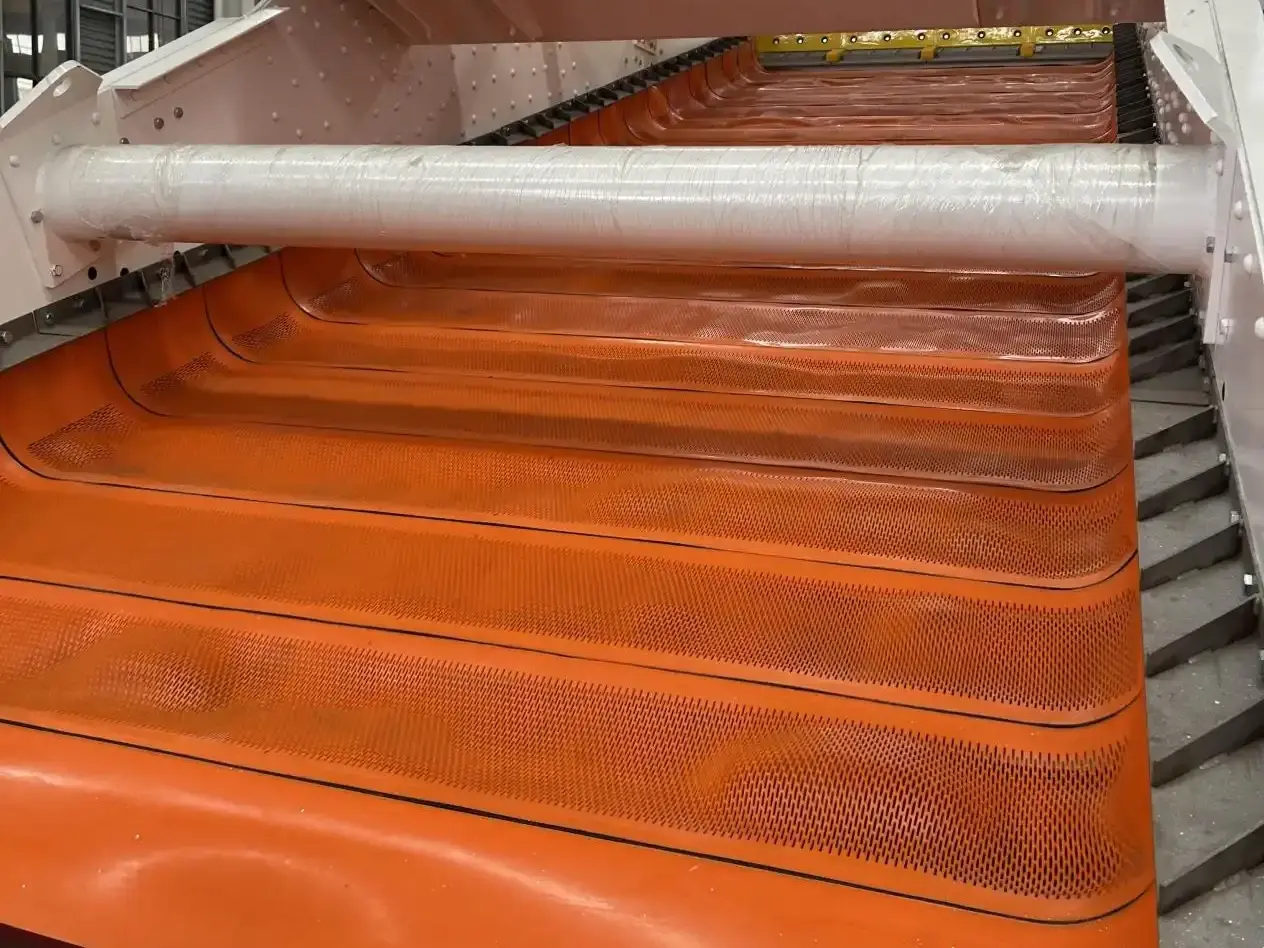
How flip-flow polyurethane screen panels handle sticky feeds
Assess flip-flow polyurethane screen panels as part of the installed flexing system, not as a generic substitute for any vibrating-screen surface. The enquiry needs to establish how the machine moves the media, how its edges are retained and what operating problem needs to be resolved. A flexible-looking panel or a familiar machine name alone cannot confirm replacement fit.
Wet, sticky fines can obstruct openings, but blocked media can also reflect near-size particles, uneven feed or another operating issue. The six checks below organize the machine, material and wear evidence before a replacement is selected. They do not promise that a different mat will correct an overloaded deck or eliminate every blockage. Keep the screen manual and current media drawing with the enquiry.
1. Confirm the machine uses a true flip-flow flexing deck
Confirm the deck mechanism from the equipment manual and installed arrangement. Ask the OEM to identify how the media is flexed during operation, which attachment points move relative to one another, and which dimensions are specified in the free and installed states. Do not identify the system solely from the word flexible on an old purchase description.
Record the machine reference, deck position and any earlier media or frame modification. Obtain a safe existing operating video only where site procedures permit it; photographs taken during an isolated maintenance stop should show the crossbeams and both attachment edges. If the mechanism cannot be established, resolve that question before specifying a mat. A change to an ordinary supported or tensioned deck needs equipment-level assessment, not just a new panel order.
2. Separate sticky-fines blinding from near-size pegging
Metso distinguishes rocks trapped in openings from moist fines adhering to the media. Sandvik similarly separates pegging from blinding and notes the importance of the feed-size distribution and particle shape. Record whether openings contain wedged particles, a coating of sticky material, or both. Include photographs before cleaning and describe how the pattern changes during a shift.
Send feed gradation, moisture information and the locations of deposits across the deck. Note whether the problem starts at the feed end, beside a support or in one heavily loaded lane. Avoid enlarging an aperture solely to clear the blockage: the required separation and product quality still need checking. Discuss any change to media, feed arrangement or machine settings with the responsible equipment specialist before treating it as a replacement specification.
3. Check elastomer flexibility, grade and chemical/temperature limits
A quote for flip-flow polyurethane screen panels should identify the proposed grade and the operating information used to select it. Ask for the relevant temperature, chemical-exposure and loading limits. A colour, a hand-flexed photograph or the word polyurethane does not establish hardness, formulation or service suitability. Distinguish a confirmed material specification from a sample supplied only for dimensional identification.
Metso's anti-blinding guidance describes a balance between flexibility and loading rather than an unlimited benefit from softer media. Request the supplier's assessment for the actual duty and the OEM's installation requirements. Record cleaning agents, process-water exposure, hot feed or other known changes without guessing concentrations. If those facts are unavailable, leave them open for confirmation rather than substituting a general chemical-resistance claim. Do not change grade or thickness on appearance alone.
4. Verify perimeter mounting holes, clamping strips and crossbeam spacing
Map the complete perimeter interface: holes or other retaining features, their positions, edge profile, clamping strips and the mating beam arrangement. Show corners and any transitions in the fastening pattern. Where the installed system uses no holes, record the actual engagement geometry instead of assuming a drilled pattern from another photograph. Include the drawing revision and orientation relative to material flow.
Measure crossbeam spacing and identify where each edge is retained. Separate the mat reference from clamp or accessory references, then confirm which parts the quotation includes. Worn strips, damaged engagement surfaces or mixed replacement hardware may need separate attention. Do not drill, trim or stretch a new mat to reconcile an unexplained mismatch. Resolve the drawing and installed-interface discrepancy with the supplier and equipment owner before installation.
5. Inspect aperture geometry, flow direction and feed distribution
Record aperture shape, measured opening dimensions, orientation and the required product cut. Identify which measurements come from an unused sample and which come from worn media. Ask how quoted open area is calculated and which blank or mounting zones are excluded. A photograph taken at an angle is not an aperture measurement or proof of a square opening.
Review the material path as well as the mat. Sandvik's troubleshooting guidance identifies feed distribution and bed depth as relevant to separation problems. Note uneven lanes, concentrated impact and material accumulating at an edge. Sandvik's terminology distinguishes screen motion from stroke; use the machine manual's definitions when supplying recorded settings. This guide supplies no universal stroke, speed or aperture adjustment. Keep any proposed change subject to OEM review and the required separation result.
6. Spot early edge fatigue and plan replacement intervals
During planned inspections, record edge cracking, tears around retaining features, elongated holes, wear near clamps and changes in aperture condition. These are observations to investigate, not proof of one particular failure mechanism. Compare the affected area with attachment condition and the service history. Follow site isolation and maintenance procedures; do not reach into operating equipment to obtain a photograph.
Identify each photographed position and record operating hours or processed tonnage when available. Note recent changes to feed, cleaning, mounting parts or settings. Ask the equipment owner which condition requires immediate withdrawal and which can be monitored. Set inspection and replacement decisions using that machine-specific advice and observed deterioration, not a promised universal interval. Retain the removed part or a clearly labelled sample when it is needed to resolve an interface question.
Diagnostic checklist for flip-flow polyurethane screen panels
Use the checklist to select the next evidence to collect. More than one contributor can produce the same symptom, and a sound replacement decision may require both media and equipment checks. It is not a field diagnosis or an instruction to alter machine settings.
| Visible symptom | Possible contributors | What to inspect |
|---|---|---|
| Sticky coating across openings | Moist fines, local buildup or unsuitable operating conditions. | Feed moisture, deposit pattern, material specification and actual media movement. |
| Individual particles wedged in openings | Near-size or elongated particles and aperture geometry. | Feed gradation, particle shape and measured openings. |
| Tears near a retained edge | Attachment mismatch, damaged clamps or another local stress source. | Edge profile, retaining parts, installation drawing and wear location. |
| Uneven wear across the mat | Uneven feed, concentrated impact or a mounting issue. | Material path, feedbox, beam layout and adjoining media. |
| Changed product separation | Worn openings, blocked media or a changed process duty. | Product sampling, aperture condition and recent operating changes. |
| Poor seating during replacement | Unresolved dimensions, orientation or mixed retaining parts. | Drawing revision, free/installed measurement basis and mating hardware. |
What to send for a flip-flow replacement review
Before ordering flip-flow polyurethane screen panels, connect the media reference to one identified machine and deck position. State whether the request is for the same construction or an alternative requiring review. Send the available information first, distinguish measurements from estimates and arrange a drawing or sample for any detail that cannot be confirmed from photographs.
Standard panels are in stock (3–7 day lead time); custom panels are made to drawing or sample (lead time confirmed per drawing or tooling), with no MOQ and worldwide shipping. Confirm the selected configuration and order scope before purchase; the stock statement is not an assurance that every perimeter pattern or material grade is immediately available.
- Machine reference, deck position, media drawing revision and required quantity.
- Overall mat dimensions, thickness, aperture measurements and material-flow orientation.
- Perimeter pattern, edge profile, clamps, crossbeam spacing and mating-part references.
- Overall installation and detailed top, underside, corner, attachment and damaged-area photos.
- Feed material, moisture, gradation, throughput, known exposure limits, service history and destination.
Related resources
- Flip-Flow Polyurethane Screen Panels
Review flexible-media photos and installed-system identification points.
- Screen Installation Accessories
Identify retaining and support components separately from the mat.
- Screen Panel Replacement Guide
Prepare measured dimensions and same-reference photographs.
- Request a Quote
Send the installed reference and known conditions for technical quotation review.
- Vibrating Screen Blinding vs Pegging: 6 Checks
Identify the observed obstruction before treating it as a flip-flow selection problem.
- Vibrating Screen Panel Wear: 6 Common Failure Causes
Keep damage, feed and installation evidence together when investigating service problems.
Technical references
- Metso — How to reduce pegging and blinding
Distinguishes trapped particles from adhering moist fines and explains why flexibility must be considered together with loading.
- Metso — Screening Media Handbook, Version 2.1
General screening-media, aperture and open-area context. It is not proof of a particular flip-flow machine's fit or permitted settings.
- Sandvik — Trouble shooting examples
Reviews feed arrangement, screen conditions, pegging and blinding. Use it to organize checks, not to copy settings from another screen.
- Sandvik — Screening terminology
Definitions for motion, stroke, bed depth and screen components; terminology is not a replacement approval or operating specification.